DevOps Best Practices
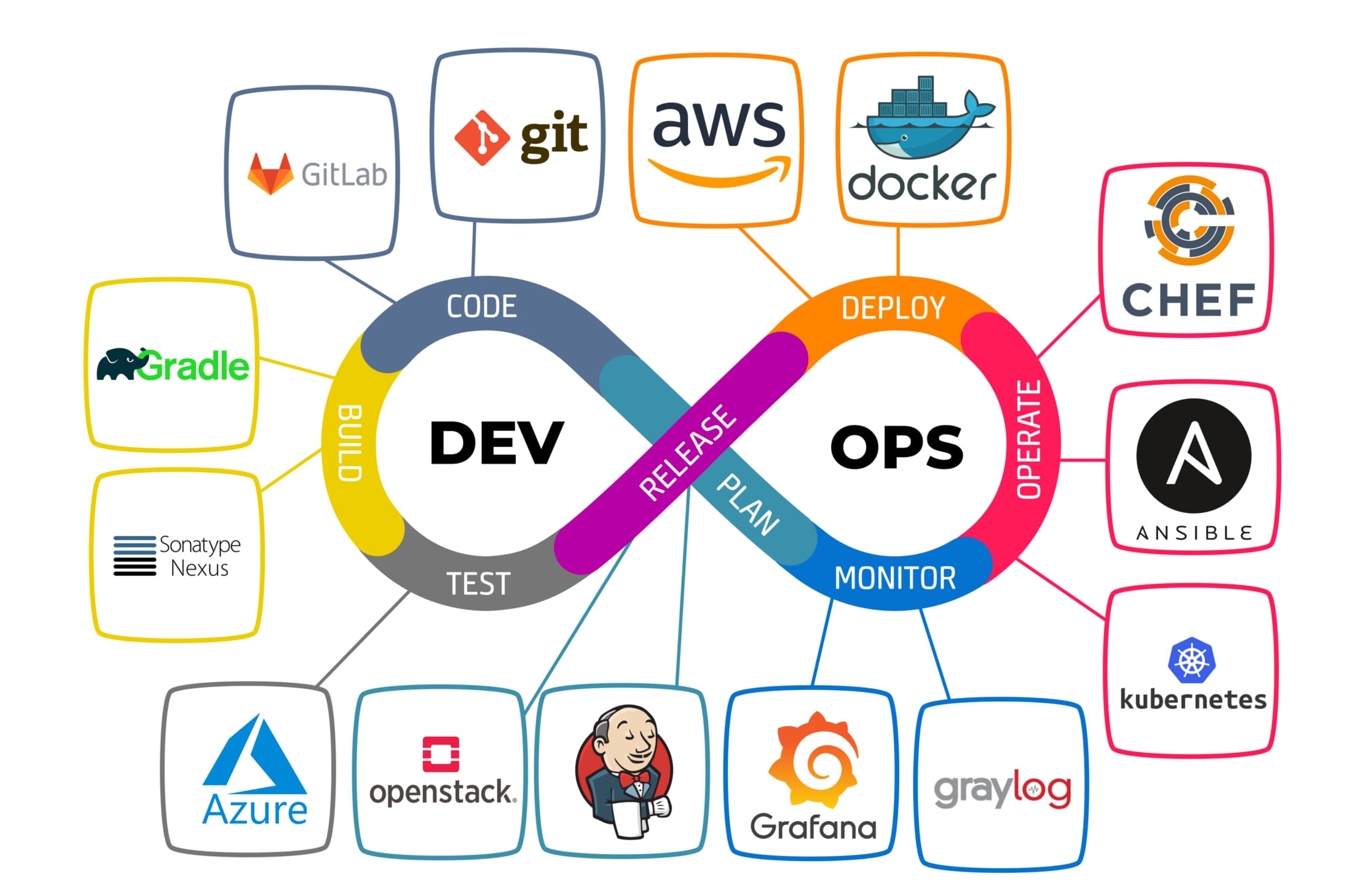

DevOps Best Practices: Streamlining Development and Operations
DevOps is a cultural and technical practice that bridges development and operations to deliver software faster and more reliably. By fostering collaboration and automation, DevOps enables teams to build, test, and deploy applications efficiently. In this blog, we’ll explore key DevOps best practices and demonstrate a simple CI/CD pipeline using GitHub Actions.
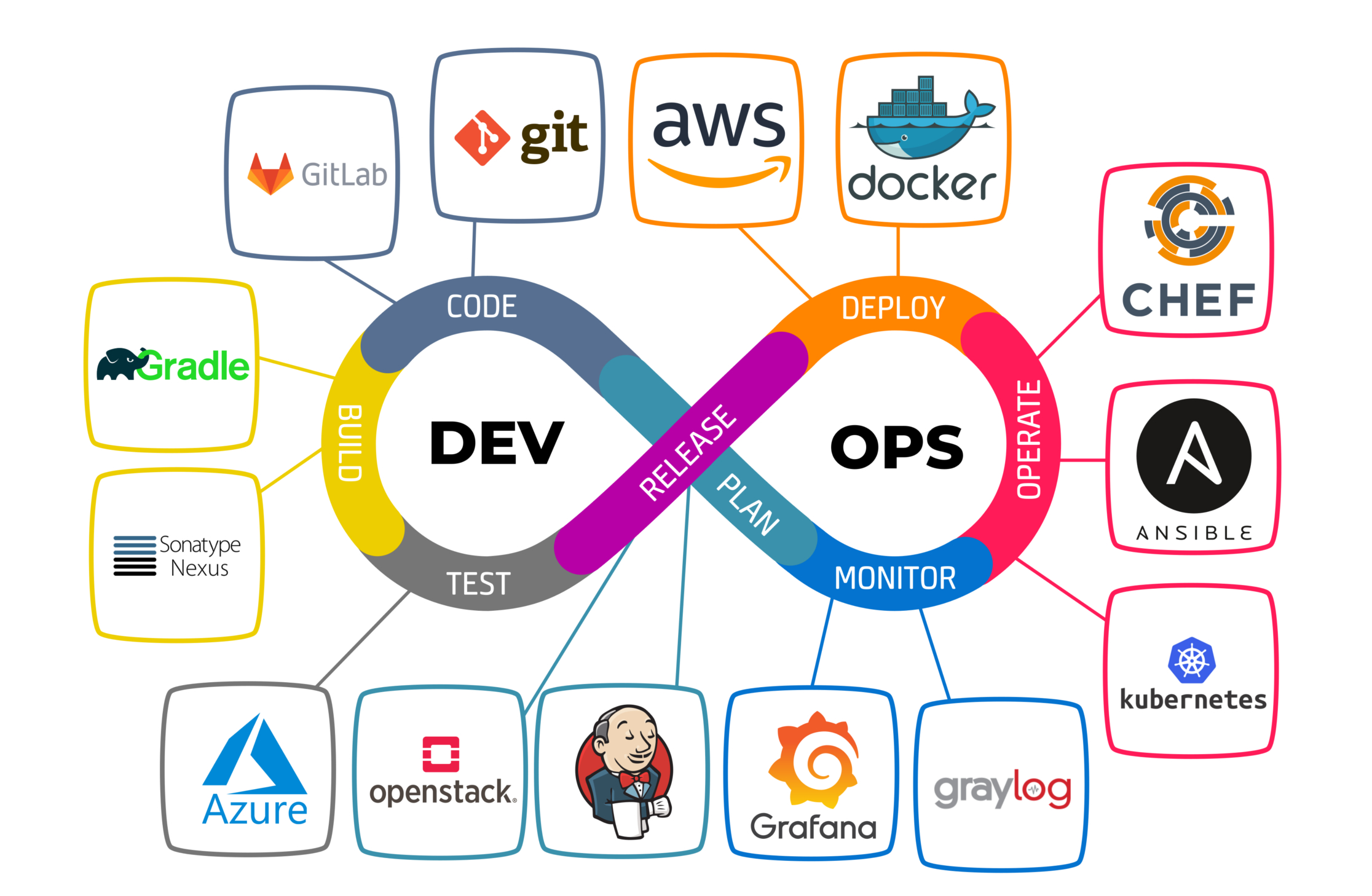
Why DevOps Matters
DevOps addresses the traditional silos between development and operations, reducing delays and improving quality. It emphasizes automation, continuous integration, and monitoring to ensure rapid and stable software delivery.
Key benefits:
- Faster delivery: Accelerate time-to-market with automated pipelines.
- Improved collaboration: Align teams through shared goals and tools.
- Enhanced reliability: Catch issues early with testing and monitoring.
Core DevOps Best Practices
Adopting these practices helps teams achieve DevOps success:
- Continuous Integration (CI): Regularly merge code changes into a shared repository, running automated tests to detect issues early.
- Continuous Delivery/Deployment (CD): Automate the release process to deploy code to production reliably and frequently.
- Infrastructure as Code (IaC): Manage infrastructure using code (e.g., Terraform, Ansible) for consistency and scalability.
- Monitoring and Logging: Use tools like Prometheus or ELK Stack to track performance and diagnose issues.
- Collaboration and Communication: Foster a blame-free culture with tools like Slack or Microsoft Teams.
Setting Up a CI/CD Pipeline with GitHub Actions
Let’s create a simple CI/CD pipeline for a Node.js application using GitHub Actions, automating testing and deployment to a staging environment.
Step 1: Set Up the Node.js Project
Create a directory for your project and initialize a Node.js application:
mkdir devops-demo
cd devops-demo
npm init -y
npm install express
npm install --save-dev jest
Step 2: Create a Simple Web Server
Create a file named app.js with the following code:
const express = require('express');
const app = express();
const port = process.env.PORT || 3000;

app.get('/', (req, res) => {
  res.send('Hello, DevOps World!');
});

module.exports = app.listen(port, () => {
  console.log(`Server running on port ${port}`);
});
Step 3: Add a Test
Create a tests folder and add a file named app.test.js:
const request = require('supertest');
const app = require('../app');

describe('GET /', () => {
  it('responds with Hello, DevOps World!', async () => {
    const response = await request(app).get('/');
    expect(response.statusCode).toBe(200);
    expect(response.text).toBe('Hello, DevOps World!');
  });
});

afterAll(() => {
  app.close();
});
Update package.json to include a test script:
{
  "name": "devops-demo",
  "version": "1.0.0",
  "scripts": {
    "start": "node app.js",
    "test": "jest"
  },
  "dependencies": {
    "express": "^4.17.1"
  },
  "devDependencies": {
    "jest": "^27.5.1",
    "supertest": "^6.2.2"
  }
}
Step 4: Configure GitHub Actions
Create a .github/workflows/ci-cd.yml file in your project root to define the CI/CD pipeline:
name: CI/CD Pipeline

on:
  push:
    branches: [ main ]
  pull_request:
    branches: [ main ]

jobs:
  build-and-test:
    runs-on: ubuntu-latest

    steps:
    - name: Checkout code
      uses: actions/checkout@v3

    - name: Set up Node.js
      uses: actions/setup-node@v3
      with:
        node-version: '16'

    - name: Install dependencies
      run: npm install

    - name: Run tests
      run: npm test

    - name: Deploy to staging
      if: github.event_name == 'push' && github.ref == 'refs/heads/main'
      env:
        HEROKU_API_KEY: ${{ secrets.HEROKU_API_KEY }}
        HEROKU_APP_NAME: ${{ secrets.HEROKU_APP_NAME }}
      run: |
        git remote add heroku https://heroku:$HEROKU_API_KEY@git.heroku.com/$HEROKU_APP_NAME.git
        git push heroku main
Step 5: Deploy to Heroku
Set up a Heroku app and add a Procfile:
web: node app.js
Push the code to a GitHub repository and configure Heroku secrets in GitHub:
- Create a Heroku app:
heroku create your-app-name. - Add
HEROKU_API_KEYandHEROKU_APP_NAMEas secrets in your GitHub repository (Settings > Secrets > Actions).
Push changes to trigger the pipeline:
git add .
git commit -m "Set up CI/CD pipeline"
git push origin main
The pipeline will run tests and deploy to Heroku if tests pass. Visit https://your-app-name.herokuapp.com to see "Hello, DevOps World!".
Enhancing DevOps Practices
For production-grade DevOps, consider:
- Security Scanning: Integrate tools like Snyk or Dependabot for vulnerability checks.
- Blue-Green Deployments: Minimize downtime with zero-downtime deployment strategies.
- Containerization: Use Docker and Kubernetes for consistent environments.
- Observability: Implement distributed tracing with tools like Jaeger or Zipkin.
- Rollback Mechanisms: Ensure quick recovery from failed deployments.
Conclusion
DevOps best practices empower teams to deliver high-quality software rapidly and reliably. The GitHub Actions pipeline above demonstrates automated testing and deployment, but DevOps is a continuous journey of improvement. Embrace automation, collaboration, and monitoring to unlock the full potential of DevOps in your projects!
Application Security Best Practices

Ethical Hacking Techniques

Data Science with Python

Backend Development with Node.js


Fullstack Development Guide

Network Security Essentials