Fullstack Development Guide

Fullstack Development Guide: Building End-to-End Applications
Fullstack development involves creating both the frontend and backend of a web application, providing a complete solution from user interface to server logic. By mastering both sides, developers can build robust, scalable applications. In this blog, we’ll explore fullstack development essentials, key technologies, and a practical example of building a simple task management app using React, Node.js, Express, and MongoDB.
What is Fullstack Development?
Fullstack development encompasses the entire web application stack:
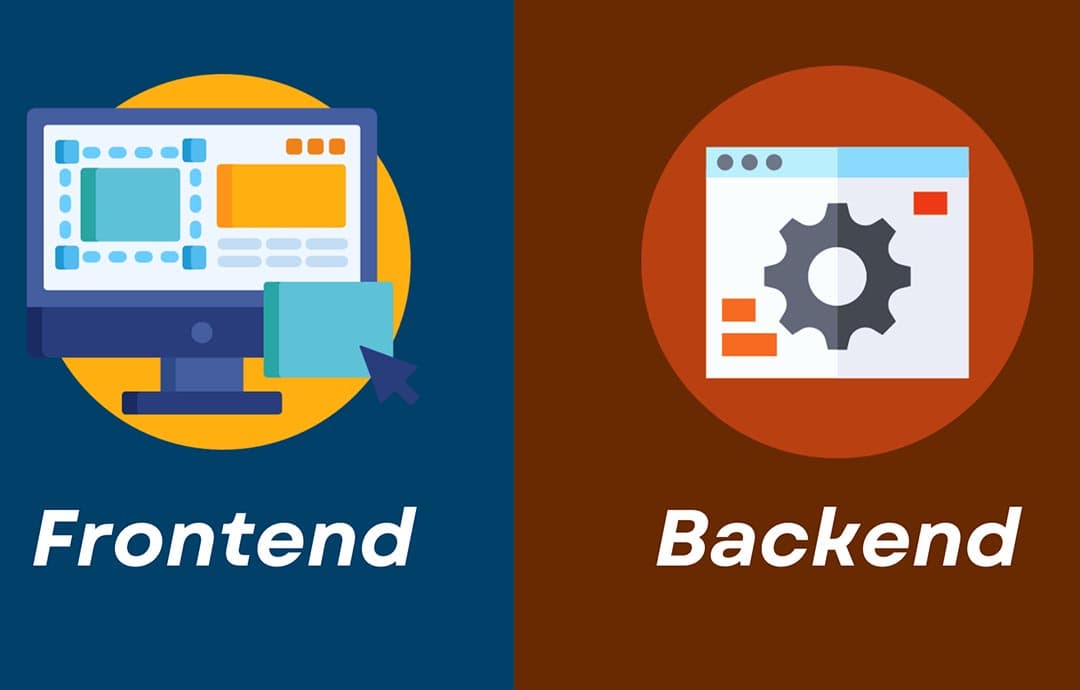
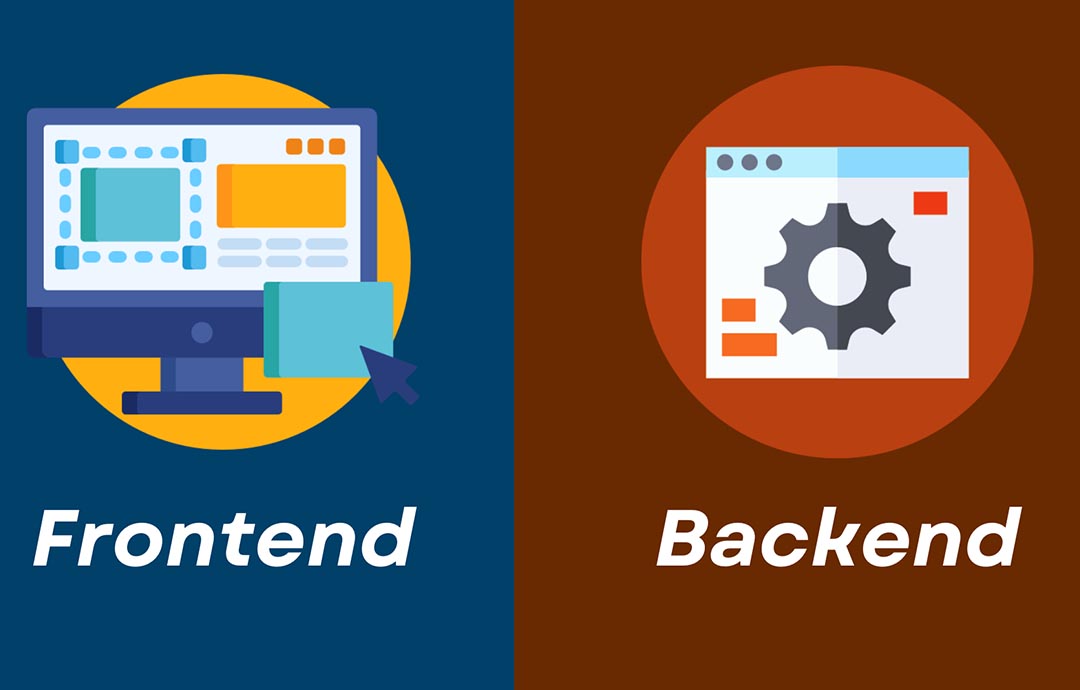
- Frontend: The client-side interface users interact with (e.g., HTML, CSS, JavaScript, React).
- Backend: The server-side logic, APIs, and database management (e.g., Node.js, Express, MongoDB).
- DevOps: Deployment, scaling, and infrastructure (e.g., Docker, AWS).
Fullstack developers bridge these layers, ensuring seamless communication and functionality.
Key benefits:
- Holistic Understanding: Manage all aspects of development.
- Flexibility: Work on diverse tasks across the stack.
- Efficiency: Streamline communication between frontend and backend.
Essential Fullstack Technologies
- Frontend: React, Vue.js, or Angular for dynamic UIs; Tailwind CSS or Bootstrap for styling.
- Backend: Node.js with Express for APIs; Python with Django or Flask for rapid development.
- Database: MongoDB (NoSQL) or PostgreSQL (SQL) for data storage.
- Tools: Git for version control; Vite or Webpack for frontend bundling; Docker for containerization.
Building a Task Management App
Let’s create a fullstack task management app where users can create, read, update, and delete (CRUD) tasks. We’ll use React for the frontend, Node.js/Express for the backend, and MongoDB for the database.
Step 1: Set Up the Backend
Create a directory for the project and initialize the backend:
mkdir task-manager
cd task-manager
mkdir backend
cd backend
npm init -y
npm install express mongoose cors dotenv
Create a file named server.js:
const express = require('express');
const mongoose = require('mongoose');
const cors = require('cors');
require('dotenv').config();

const app = express();
const port = process.env.PORT || 5000;

app.use(cors());
app.use(express.json());

// MongoDB connection
mongoose.connect(process.env.MONGO_URI, { useNewUrlParser: true, useUnifiedTopology: true })
  .then(() => console.log('MongoDB connected'))
  .catch(err => console.error(err));

// Task Schema
const taskSchema = new mongoose.Schema({
  title: { type: String, required: true },
  completed: { type: Boolean, default: false },
});
const Task = mongoose.model('Task', taskSchema);

// CRUD Routes
app.get('/api/tasks', async (req, res) => {
  const tasks = await Task.find();
  res.json(tasks);
});

app.post('/api/tasks', async (req, res) => {
  const { title } = req.body;
  if (!title) return res.status(400).json({ error: 'Title is required' });
  const task = new Task({ title });
  await task.save();
  res.status(201).json(task);
});

app.put('/api/tasks/:id', async (req, res) => {
  const { id } = req.params;
  const { title, completed } = req.body;
  const task = await Task.findByIdAndUpdate(id, { title, completed }, { new: true });
  if (!task) return res.status(404).json({ error: 'Task not found' });
  res.json(task);
});

app.delete('/api/tasks/:id', async (req, res) => {
  const { id } = req.params;
  const task = await Task.findByIdAndDelete(id);
  if (!task) return res.status(404).json({ error: 'Task not found' });
  res.status(204).send();
});

app.listen(port, () => console.log(`Server running on port ${port}`));
Create a .env file:
PORT=5000
MONGO_URI=mongodb://localhost:27017/task-manager
Start MongoDB locally and run the backend:
node server.js
Step 2: Set Up the Frontend
In the task-manager directory, create a React frontend:
npx create-vite@latest frontend --template react
cd frontend
npm install axios tailwindcss postcss autoprefixer
npx tailwindcss init -p
Configure tailwind.config.js:
/** @type {import('tailwindcss').Config} */
export default {
  content: [
    "./index.html",
    "./src/**/*.{js,ts,jsx,tsx}",
  ],
  theme: {
    extend: {},
  },
  plugins: [],
}
Update src/index.css:
@tailwind base;
@tailwind components;
@tailwind utilities;
Replace src/App.jsx with:
import { useState, useEffect } from 'react';
import axios from 'axios';
import './App.css';

function App() {
  const [tasks, setTasks] = useState([]);
  const [title, setTitle] = useState('');

  // Fetch tasks
  useEffect(() => {
    axios.get('http://localhost:5000/api/tasks')
      .then(res => setTasks(res.data))
      .catch(err => console.error(err));
  }, []);

  // Add task
  const addTask = async (e) => {
    e.preventDefault();
    try {
      const res = await axios.post('http://localhost:5000/api/tasks', { title });
      setTasks([...tasks, res.data]);
      setTitle('');
    } catch (err) {
      console.error(err);
    }
  };

  // Toggle task completion
  const toggleTask = async (id, completed) => {
    try {
      const res = await axios.put(`http://localhost:5000/api/tasks/${id}`, { completed: !completed });
      setTasks(tasks.map(task => task._id === id ? res.data : task));
    } catch (err) {
      console.error(err);
    }
  };

  // Delete task
  const deleteTask = async (id) => {
    try {
      await axios.delete(`http://localhost:5000/api/tasks/${id}`);
      setTasks(tasks.filter(task => task._id !== id));
    } catch (err) {
      console.error(err);
    }
  };

  return (
    <div className="min-h-screen bg-gray-100 p-4">
      <div className="max-w-md mx-auto bg-white p-6 rounded-lg shadow-md">
        <h1 className="text-2xl font-bold mb-4">Task Manager</h1>
        <div className="flex mb-4">
          <input
            type="text"
            value={title}
            onChange={(e) => setTitle(e.target.value)}
            placeholder="Add a task"
            className="flex-1 p-2 border rounded-l-md focus:outline-none"
          />
          <button
            onClick={addTask}
            className="bg-blue-500 text-white p-2 rounded-r-md hover:bg-blue-600"
          >
            Add
          </button>
        </div>
        <ul>
          {tasks.map(task => (
            <li key={task._id} className="flex justify-between items-center p-2 border-b">
              <div>
                <input
                  type="checkbox"
                  checked={task.completed}
                  onChange={() => toggleTask(task._id, task.completed)}
                  className="mr-2"
                />
                <span className={task.completed ? 'line-through' : ''}>{task.title}</span>
              </div>
              <button
                onClick={() => deleteTask(task._id)}
                className="text-red-500 hover:text-red-700"
              >
                Delete
              </button>
            </li>
          ))}
        </ul>
      </div>
    </div>
  );
}

export default App;
Step 3: Run the Application
Start the backend:
cd backend
node server.js
In a new terminal, start the frontend:
cd frontend
npm run dev
Open http://localhost:5173 in your browser to use the task manager app. Add, toggle, and delete tasks to test the CRUD functionality.
Explanation
- Backend: Express serves a REST API with MongoDB for persistent storage. Routes handle CRUD operations for tasks.
- Frontend: React with Tailwind CSS creates a responsive UI. Axios fetches and updates tasks via API calls.
- Fullstack Integration: The frontend communicates with the backend over HTTP, demonstrating end-to-end functionality.
- Styling: Tailwind ensures a clean, responsive design with minimal CSS.
Best Practices for Fullstack Development
- Modular Code: Organize code into reusable components and modules.
- API Design: Follow REST principles with clear endpoints and error handling.
- Security: Implement authentication (e.g., JWT) and sanitize inputs.
- Testing: Write unit and integration tests using Jest or Mocha.
- Deployment: Use platforms like Vercel (frontend) and Heroku (backend) with CI/CD.
Conclusion
Fullstack development empowers developers to build complete applications, from user interfaces to server logic. The task manager example showcases a simple fullstack app, but the stack (React, Node.js, Express, MongoDB) supports complex projects like e-commerce platforms or social networks. Start exploring fullstack development to create your own end-to-end solutions!
Application Security Best Practices


Ethical Hacking Techniques

Data Science with Python

Backend Development with Node.js
Fullstack Development Guide
Network Security Essentials