Network Security Essentials


Network Security Essentials: Protecting Digital Infrastructure
Network security is critical for safeguarding data, systems, and communications in an increasingly connected world. It encompasses practices and technologies to protect networks from unauthorized access, attacks, and data breaches. In this blog, we’ll explore network security fundamentals, common threats, and a practical example of securing a server using basic firewall rules with ufw on Ubuntu.

Why Network Security Matters
Networks are the backbone of modern organizations, handling sensitive data and critical operations. A breach can lead to financial losses, reputational damage, and legal consequences. Robust network security ensures confidentiality, integrity, and availability (CIA triad).
Key objectives:
- Confidentiality: Protect data from unauthorized access.
- Integrity: Ensure data remains unaltered by attackers.
- Availability: Maintain access to resources for legitimate users.
Common Network Security Threats
- Phishing: Social engineering attacks to steal credentials.
- Malware: Viruses, ransomware, or spyware that compromise systems.
- Denial-of-Service (DoS): Overwhelms networks to disrupt availability.
- Man-in-the-Middle (MitM): Intercepts communications to steal data.
- SQL Injection: Exploits vulnerabilities in web applications to access databases.
Core Network Security Practices
- Firewalls: Filter incoming and outgoing traffic based on rules.
- Encryption: Use protocols like TLS/SSL to secure data in transit.
- Intrusion Detection Systems (IDS): Monitor for suspicious activity.
- Access Controls: Implement role-based access and strong authentication.
- Regular Updates: Patch systems to fix vulnerabilities.
Securing a Server with a Firewall (UFW)
Let’s set up a basic firewall on an Ubuntu server using ufw (Uncomplicated Firewall) to allow SSH, HTTP, and HTTPS traffic while denying unauthorized access.
Step 1: Set Up the Environment
Ensure you have an Ubuntu server (local or cloud-based, e.g., AWS EC2) with sudo privileges. Install ufw if not already present:
sudo apt update
sudo apt install ufw
Step 2: Configure Firewall Rules
Create a script named setup_firewall.sh to configure ufw securely:
#!/bin/bash

# Enable ufw and set default policies
sudo ufw default deny incoming
sudo ufw default allow outgoing

# Allow essential services
sudo ufw allow 22/tcp   # SSH
sudo ufw allow 80/tcp   # HTTP
sudo ufw allow 443/tcp  # HTTPS

# Enable ufw
sudo ufw enable

# Display status
sudo ufw status
Save the script and make it executable:
chmod +x setup_firewall.sh
Step 3: Run the Script
Execute the script to apply the firewall rules:
./setup_firewall.sh
Expected Output:
Status: active

To                         Action      From
--                         ------      ----
22/tcp                     ALLOW       Anywhere
80/tcp                     ALLOW       Anywhere
443/tcp                    ALLOW       Anywhere
Explanation
- Default Policies: Deny all incoming traffic by default, allow outgoing to ensure safety.
- Allowed Ports: Open ports 22 (SSH for remote access), 80 (HTTP for web traffic), and 443 (HTTPS for secure web traffic).
- UFW Activation: Enables the firewall to enforce rules.
- Status Check: Verifies the configured rules.
Step 4: Test the Configuration
- Access the server via SSH (
ssh user@server-ip) to confirm port 22 is open. - If a web server (e.g., Nginx) is running, visit
http://server-iporhttps://server-ipto verify ports 80/443. - Attempt to access a blocked port (e.g., 8080) to confirm it’s inaccessible.
Optional: Install a Web Server for Testing
To test HTTP/HTTPS, install Nginx:
sudo apt install nginx
sudo systemctl start nginx
sudo systemctl enable nginx
Visit http://server-ip to see the Nginx welcome page.
Best Practices for Network Security
- Least Privilege: Grant minimal access needed for users and services.
- Network Segmentation: Divide networks into zones to limit attack spread.
- Monitoring: Use tools like Wireshark or Splunk for real-time analysis.
- Backups: Regularly back up critical data to recover from ransomware.
- Security Awareness: Train employees to recognize phishing and social engineering.
Conclusion
Network security is essential for protecting digital assets in a threat-filled landscape. The ufw example demonstrates basic firewall setup, but comprehensive security involves layered defenses, from encryption to intrusion detection. Start implementing these practices to fortify your network infrastructure today!
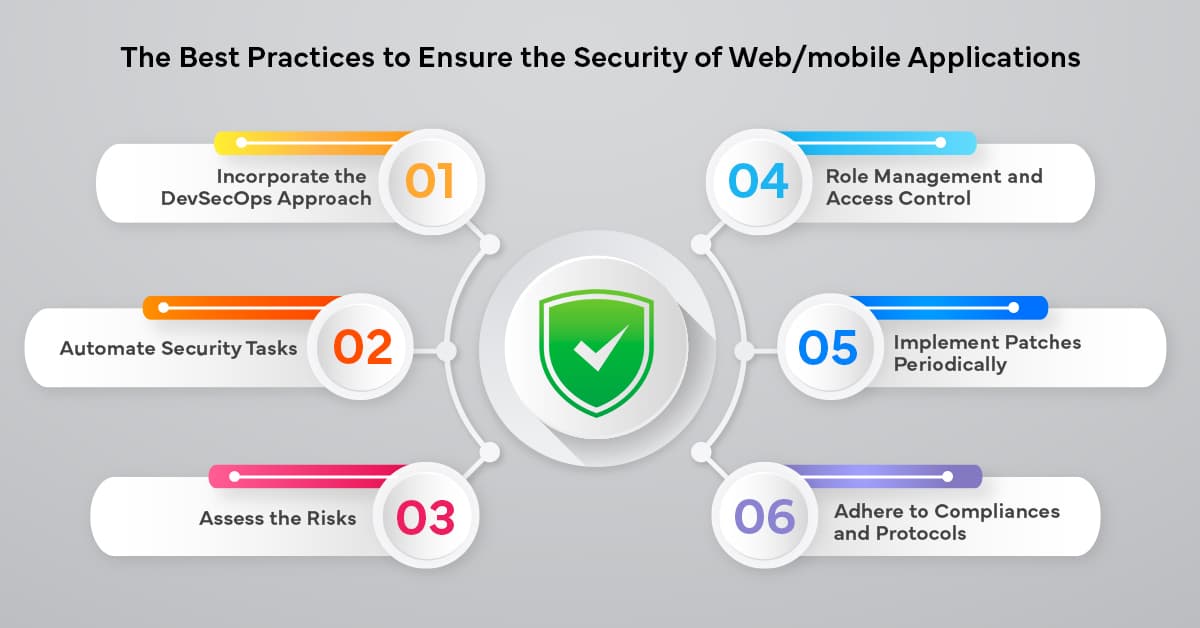
Application Security Best Practices


Ethical Hacking Techniques

Data Science with Python

Backend Development with Node.js

Fullstack Development Guide
Network Security Essentials